The Optigo Connect router solution, paired with Distech Controls’ suite of powerful products, gives you everything you need for a truly smart building.
Do you waste time on repetitive tasks, like entering in static IP addresses? Do you wait forever to get a block of IP addresses from IT that you can use? Layer 3 routing can be difficult and tedious if you don’t have the right tools at your disposal. Luckily, Optigo Connect has a new router management system that makes Layer 3 simple.
On our webinar with Distech Controls, we dug into some quick fundamentals of Layer 3 networking, showed a standard router system, and explored the features of router management with Optigo Connect.
Watch the webinar recording here, and read on for the recap!

Layer 3 Routing Basics
There are a couple of different ways to understand the network layers: the OSI model, and the TCP/IP model. These models have no bearing on the network’s infrastructure and are just a logical way to understand how the network and its respective layers function.

In this webinar, we focused on the Network/Internet Layer. This is where we can:
- Manage and assign IP addresses
- Establish device communications across VLANs
- Create Local Area Networks
- Set up BACnet/IP communications
- And much more.
Standard Router Management
Standard router management solutions come with certain pros and cons.
Pros:
- Custom configuration on your system
- This may allow for greater complexity and deferred costs by leveraging the support of IT
- Ideal for enterprise, large network environments
Cons:
- Complicated and time-consuming
- Often requires support to set up and manage
- Manual effort leaves room for human error
- Scalability is tedious and prone to human error
The standard router solution has its place and time — but sometimes simpler is better.
Optigo’s Router Management
Optigo’s router management brings all the Layer 3 router functionality you need into one OT-friendly platform. Enjoy centralized management and visibility in Optigo OneView:
- View thousands of ports with responsive search and sorting
- Manage switches, port status, and more
- Name and color-code VLANs to easily organize
- Create a range of IP addresses and simply assign them
- Securely provide public Internet access as needed
- Configure paths between VLANs and subnets
- And more
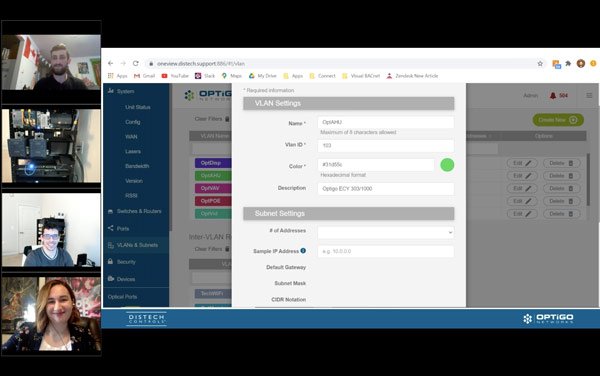
Check out the live demo to see just how easy it is to set up the router, assign VLANs, and get your network up and running.
With an intuitive interface and all the functionality features you need, you can enjoy reduced time, reduced labor costs, and reduced risk of problems.
The Optigo Connect router solution, paired with Distech Controls’ suite of powerful products, gives you everything you need for a truly smart building.