

Why Reports Matter
Whether you’re performing proactive maintenance routines, responding to a service call, or commissioning new devices, you need clear proof that your work improved network performance. Optigo Visual Networks puts that proof at your fingertips with free, professional PDF reports
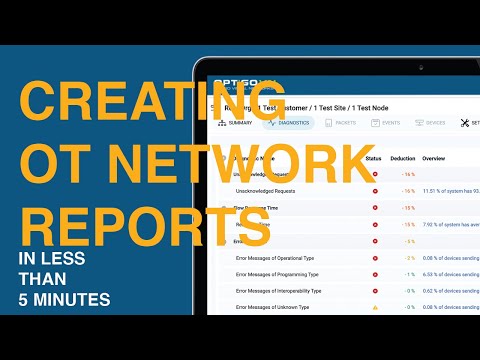
Follow along for step by step instructions, or head to our YouTube channel to subscribe for future how-to videos!
What’s Included in OptigoVN Reports
Every report you generate pulls directly from your captured traffic:
- Report Overview: Organization name, OT network name, date/time generated (UTC), and username of the person who created it.
- System Overview: Overall network health score
- Monitoring Node Summary: Per-node scores.
- Capture Details: PCAP filename, file size, start/end timestamps.
- Diagnostic Test Results: Pass/warning/fail and status for over 29 diagnostic checks like excessive broadcast traffic, unacknowledged requests, duplicate BBMDs, with impact percentages and brief overviews.
- Device List: Complete inventory of seen devices (ID, address, name, type, BACnet router and BBMD flags, last-seen time) – available with subscription
Shared Access
Add an active subscription and everyone on your team—or any external partner you invite—can generate their own reports without needing separate accounts.
Use Cases for OptigoVN Reports
Service Packages
Include regular health reports in your offering to deliver ongoing value and build client trust.
Project Sign-Off
Validate that new installations or configuration changes meet performance standards before you wrap up the job.
Preventative Maintenance
Catch issues early by reviewing periodic reports, then proactively resolve minor warnings before they evolve into major outages.
Getting Started With OptigoVN
- Create your free account at app.optigovn.com.
- Capture network traffic using our free desktop capture tool or upload existing PCAP files.
- Generate and download a detailed PDF report in seconds.
Optigo Visual Networks supports BACnet over IP, Ethernet, MS/TP and delivers real-time alerts, unlimited capture retention, and team-wide report sharing!
With Optigo Visual Networks, client OT network monitoring and troubleshooting just got easier. To find out for yourself, click here to request a demo, or create your free account and start exploring today.
OptigoVN Reports – Frequently Asked Questions
What are OptigoVN Reports?
OptigoVN Reports are professional PDF reports generated from captured OT network traffic. They provide clear, actionable insights into network health and performance.
Why should I use OptigoVN Reports?
They give you concrete proof of network improvements—ideal for proactive maintenance, troubleshooting service calls, and validating new installations.
What information do the reports include?
Reports include a network health score, node-level summaries, diagnostic test results for over 29 checks, capture details, and (with a subscription) a full device inventory.
Can my team or partners access the reports?
Yes. With a subscription, your team members and invited external partners can generate their own reports without needing separate accounts.
How can OptigoVN Reports support my business?
They can be used for ongoing service packages, project sign-offs, and preventative maintenance to improve client satisfaction and prevent downtime.
How do I get started?
Create a free account at app.optigovn.com, capture or upload PCAP files, and generate detailed PDF reports within seconds.
Who loves a good report?
Everyone. But especially this guy: